- contact@insightfortify.com
AI & agent security
Know every model and agent you ship, and what each one is allowed to do
Teams are shipping LLM features, agents with tool access and MCP servers faster than security can review them. InsightFortify finds them in code, flags the unsafe patterns against the OWASP Top 10 for LLM Applications, and enforces what an agent may do while it runs.
Three layers
Inventory → static findings → runtime guardrails
1 · Inventory
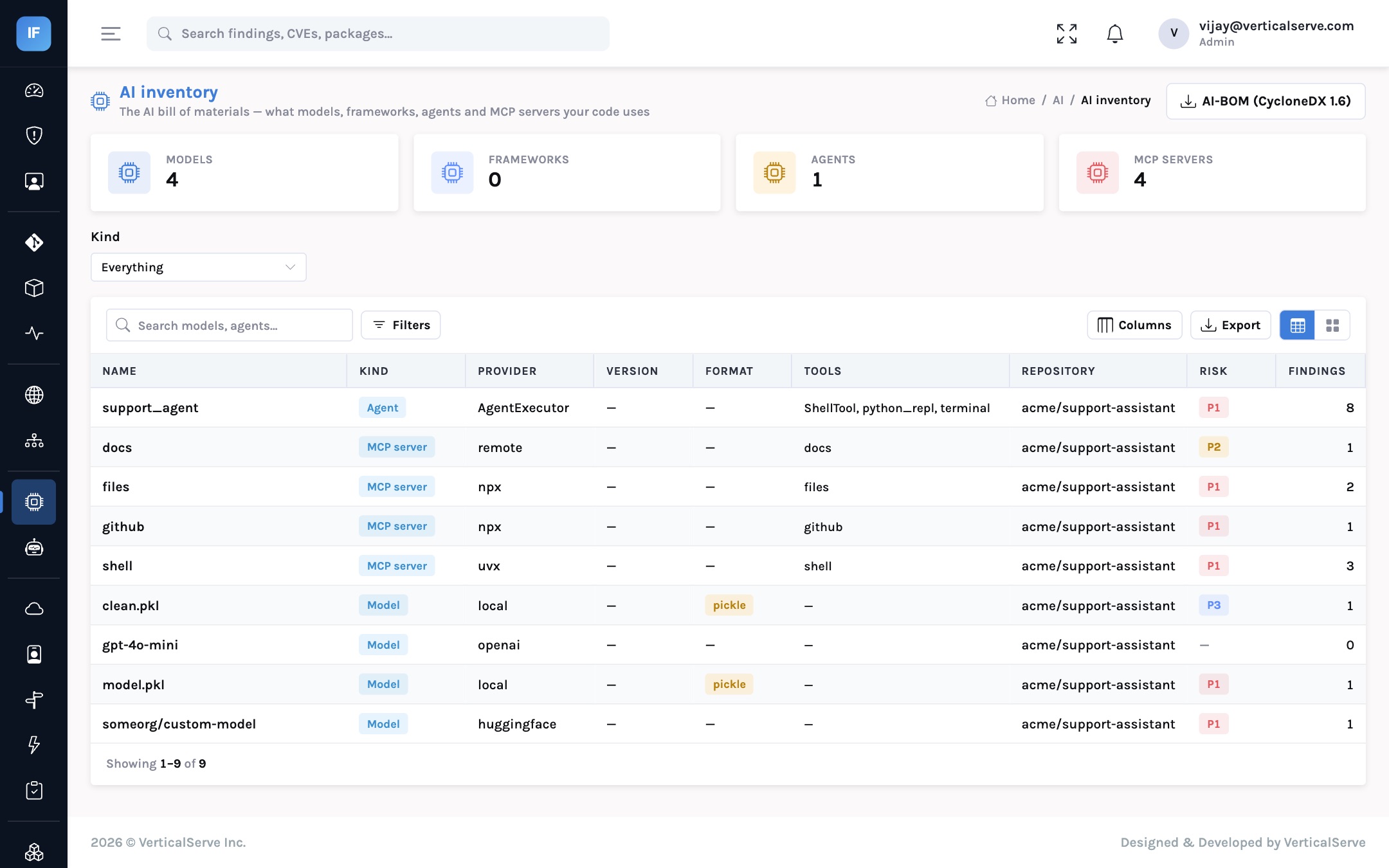
An AI bill of materials
Every repository scan lists the AI it contains: model weight files (pickle, safetensors, GGUF, ONNX, Keras), models named in code (from_pretrained, model="gpt-4o"), LangChain, CrewAI and AutoGen agents with the tools they are given, and every MCP server in a client config.
2 · Static findings
OWASP LLM Top 10, in code review
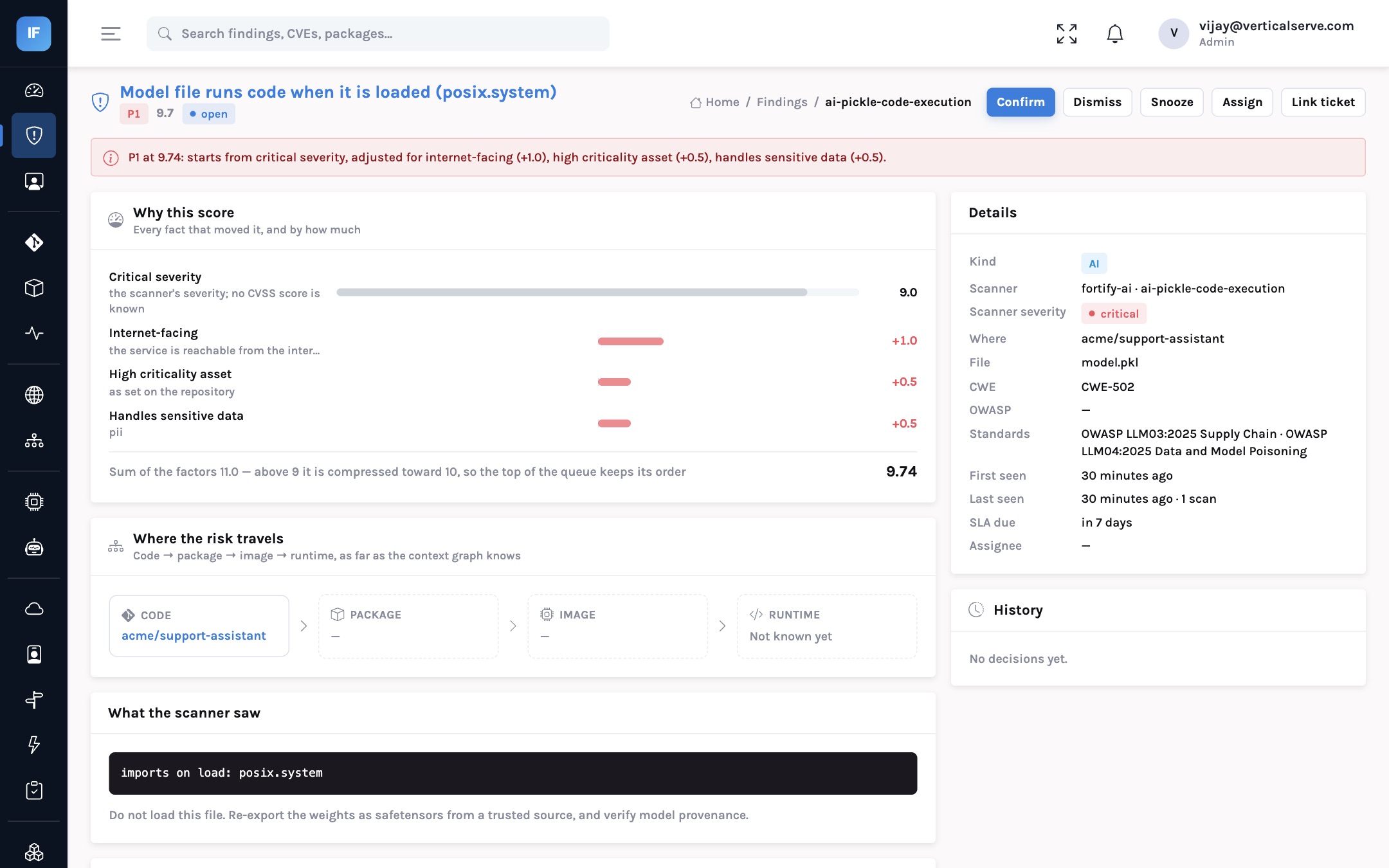
Unsafe patterns found by reading the code’s syntax tree and the model files opcode by opcode. Nothing is executed or unpickled during a scan.
3 · Guardrails
Policy before the tool call
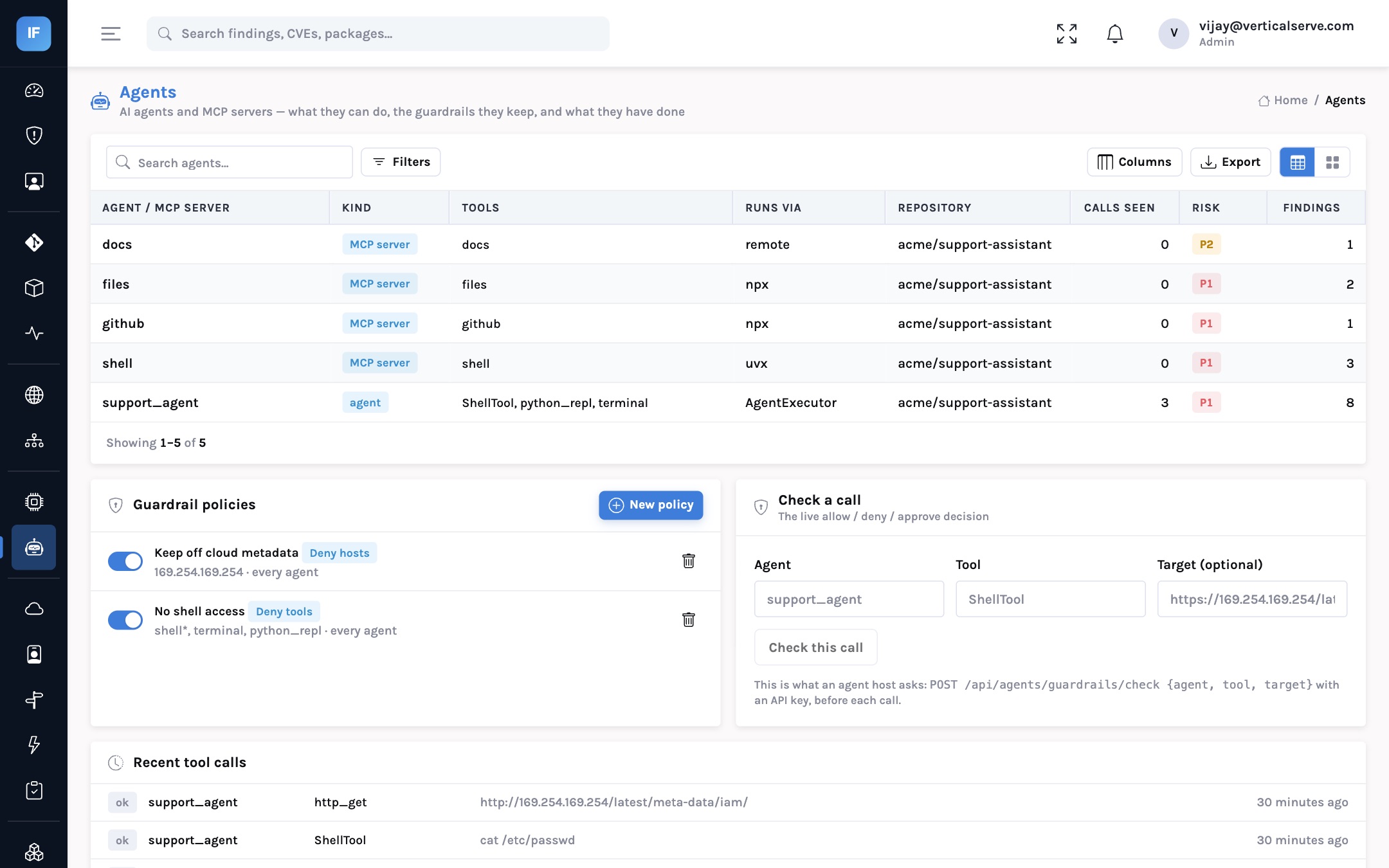
Deny a tool, require approval, block a host or cap the call rate. Checked against the inventory statically, on demand by your agent host, and on the events agents report.
What it finds
Mapped to the OWASP Top 10 for LLM Applications (2025)
| Category | What InsightFortify looks for |
|---|---|
| LLM01 Prompt injection | Request input formatted straight into a prompt |
| LLM02 Disclosure | A literal secret in an MCP config; an LLM SDK key exposed to the browser |
| LLM03 Supply chain | A pickle model that imports os or subprocess on load; trust_remote_code=True; an unpinned npx/uvx MCP server |
| LLM05 Output handling | A model’s answer reaching eval, exec, a shell or SQL |
| LLM06 Excessive agency | Shell, Python REPL and unrestricted file tools; LangChain’s allow_dangerous_*; generated code run outside a sandbox; filesystem MCP servers rooted at / |
| LLM07 System prompt leakage | Credentials written into a system prompt |
| LLM10 Unbounded consumption | An agent with no iteration limit |
Guardrails for agents
Ask before the tool runs
Your agent host makes one call before running a tool and gets back allow, deny or require_approval. Agents report the calls they made, and InsightFortify raises a finding when one used a denied tool or host, went over its rate limit, or used a tool its inventory says it was never given.
deny_tool— e.g.shell*for every customer-facing agentrequire_approval— refunds, deletes, outbound emaildeny_host— nothing outside*.internal.example.commax_calls_per_hour— a ceiling on runaway loops
# before running a tool, the agent host asks
POST /api/agents/guardrails/check
{ "agent":  "support-assistant",
  "tool":   "shell.run",
  "target": "http://169.254.169.254/latest/meta-data/" }

# and gets a decision it must honour (inside "data")
{ "decision": "deny",
  "policy":   "No shell for customer-facing agents",
  "reason":   "shell.run is denied by No shell for customer-facing agents" }
For the CISO
Answer the board’s AI question with an inventory, not a survey
“Where are we using AI, and what can it do?” is now a standing board question. Questionnaires to engineering teams go stale in a month. A scan-derived inventory updates on every push.